Forums Forums K5 Dashcam New user, used Dashcam.

  • New user, used Dashcam.

    Posted by Shaky on 2026-05-09 at 00:46

    Hi all, wonder if anyone can help please ? Just taken delivery of a new (to me) bike and it came with an Innovv K5 dashcam. At first I thought it was totally faulty but since I’ve been playing with it, it doesn’t appear to be as bad as I first thought.

    The symptoms I have are as follows:-

    The camera’s are set up as 4k front and 1080 rear @ 30fps and the videos are perfectly clear. However, trying to playback the videos via the Android App, the video breaks-up and pixellates every 2 or 3 seconds or so. However, downloading them and playing them back on the laptop (via VLC or Dashcam Viewer) they are perfect and don’t break-up at all.

    Unfortunately, there is no sound whatsoever on any video apart from a steady hissing sound. I have tried several video/audio settings to no avail although if I turn the audio off completely, the files are then completely silent as expected. Are there any other things I can try before accepting the fact that the microphone is possibly at fault ? I don’t want to just simply buy a new unit then find out it’s not that at fault. Playing “parts darts” can be expensive after all !

    I have also tried powering the unit up via the USB port and a good quality Power Bank (can supply 3A max) but the results are the same.

    Any help to pinpoint the issue would be gratefully received.

    TIA – Shaky

    PS, the bike is a 2009 Gen 1 Kawasaki ZZR1400. I also want to try to find a better position for the DVR/FRont Cam as I’m certain it would make contact with the front mudguard under heavy braking !

    • This discussion was modified 1 month, 2 weeks ago by  Shaky.
    Hans replied 1 month, 1 week ago 2 Members · 5 Replies
  • 5 Replies
  • Hans

    Administrator
    2026-05-10 at 17:44

    Hi Shaky,
    Playing directly from the camera requires a good Wi-Fi connection. Additionally, your phone constantly has to retrieve, buffer, process, and play back the necessary (video)data. This doesn’t always happen quickly because the K5 generates large files and your phone also needs to be able to process all of this quickly. As a result, playing directly from the camera is often accompanied by stuttering.

    The sound quality isn’t super good. However, a recording with the motorcycle stationary should certainly produce clear sound. Wind noise while riding can cause a hissing sound.

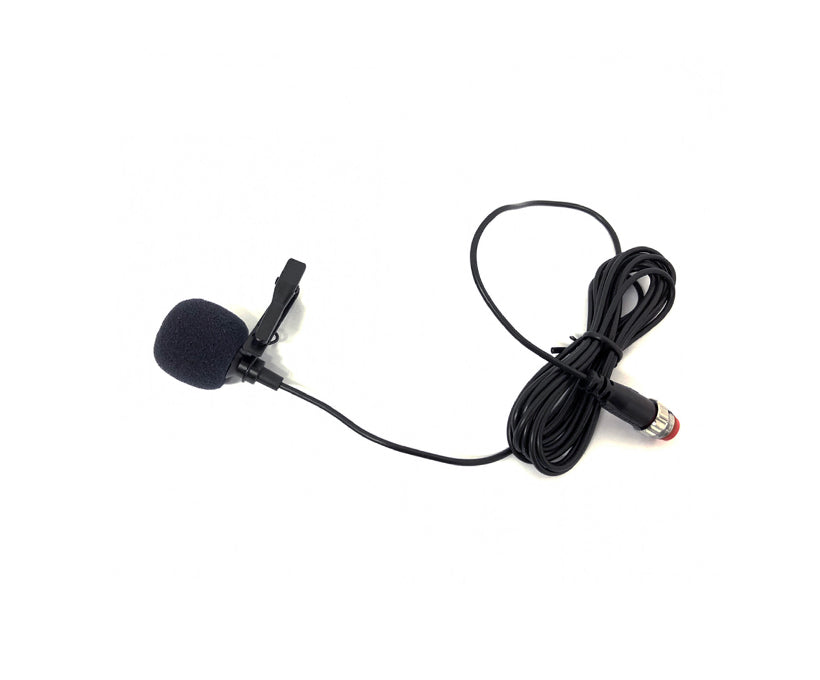
    To be sure, check the microphone cabling. Because it is thin, it is susceptible to damage. Also check that the connector is properly connected and that there is no moisture inside the connector. By the way, the cost of a new microphone is not that high, see https://innovv.com/products/innovv-mic-for-k3-and-k5-dashcam?_pos=2&_sid=ae44f561c&_ss=r

    It is better for the K5 to find a different place on your motorcycle. The tapping of the mudguard against the K5 is not beneficial for the K5.

  • Shaky

    Member
    2026-05-11 at 05:14

    Thanks for the reply Hans. I did notice that the replacement microphones aren’t expensive but I would like to confirm the microphone is actually faulty first before purchasing one so I have done the following tests as I believe the microphone is the electrec type yes ?:-

    Resistance measure across mic – 1.27kΏ if I remember correctly which does vary (increases) as sound is produced into it, or brushing a finger across it.

    When DVR unit is powered up and recording video, no voltage is present across the pins in the plug feeding the microphone which I think should usually be between 2-4Vdc ?

    I’m thinking that maybe the mic stage of the DVR is the problem here unless I am not testing correctly ? I am not an electronics genius in any way btw so I may well be using an incorrect procedure here, can you confirm or deny at all ?

    Thanks again & regards.

    Shaky

    • This reply was modified 1 month, 1 week ago by  Shaky.
  • Hans

    Administrator
    2026-05-12 at 00:25

    Hi Shaky,

    It is possible that it is an Electret microphone. This therefore requires a power supply to work. There might be a cable break somewhere. Does the cable coming out of the K5 still look good? Especially where it exits the plastic block? Because that is exactly a point where the cable could kink sharply.
    @INNOVV , could you indicate what the power supply voltage for the microphone should be?

  • Shaky

    Member
    2026-05-12 at 01:32

    Thanks again Hans. No obvious damage or wear to the cable that I can see but I’ve seen quite a few broken conductors within insulation in my job (Copper Telecoms Cable Jointer), we used to call them “High Resistance Disconnections” so I realise that isn’t a given that it will be OK just by looking at it. I did flex the cable quite a few times while watching my meter just in case I got a sporadic reading but again, nothing. I do like attempting to repair stuff like this as I like a challenge so if @INNOVV could actually reply on here and give me some pointers, I would appreciate it 👍

    I don’t want to start tearing it to pieces without at least knowing what I should be looking for at least. A wiring diagram schematic would be useful if that’s a possibility.

    Regards.

    Shaky

  • Hans

    Administrator
    2026-05-12 at 23:17

    I suspect the problem lies with the K5, but I wouldn’t rule out the microphone just yet.
    Innovv will not provide wiring diagrams. Just as they do not supply service parts. They only supply parts that can be replaced by ‘normal’ users; please check their webshop for this.
    You can still take a gamble by opening the K5 yourself to see if there is internal damage (water damage?) causing the microphone to only produce a hissing sound.
    Or you could try to claim the K5 under the motorcycle’s warranty.

Log in to reply.