
Forums › Forums › K5 Dashcam › No way to take a photo.
-
No way to take a photo.
Posted by laurimi2 on 2025-08-07 at 18:26Hello,
I have a new problem: when I press the remote control button twice quickly, I no longer have any photos.
From the INNOVV app on my iPhone 12 Pro, the photo works.
If I press the button once, it should save my videos in another folder, but what is the name of this folder?
To stop saving specific videos, what should I do? (Press the remote control once)
FYI, all the lights on the remote control are solid.
Can you tell me what I should do?
Thanks in advance.
Michel
Hans replied 1 year, 1 month ago 2 Members · 9 Replies -
9 Replies
-

Hi Michel,
I’ve noticed that the K5 is sensitive to the time between button clicks. Could it also be that wearing motorcycle gloves prevents you from pressing the button far enough?The protected videos are saved in the DCIM-Movie-Protected folder.
To stop saving specific videos, you have to wait until the preset runtime expires. After that, the recordings are saved as ‘normal’ videos again.
-
Hi Hans,
I’ve pressed the button in different ways and always get the same result. No photos (see video).
Thanks for your help.
Have a nice day.Change Thumbnail -
Generating thumbnail…
-
Generating thumbnail…
-
-
Hello,
I pressed the remote control twice slowly and briefly to take a photo, but nothing happened.
I pressed the remote control once, and the protected video isn’t saved to a specific folder.
There are no files in the Photos folder using the INNOVV app, and I inserted the SD card into my computer; there are no files.
Only videos from the front and rear cameras in “Continuous Videos.”
In addition, I have some videos in “Parking Videos,” and I have no options to delete them.
Have a nice day.
Best regards

-
Hi Michel,
Parking mode videos can only be deleted by formatting the SD card. Please note that you will lose all the videos in all folders.
-
-
Hi Michel,
Are all the LEDs lit continuously from the moment you turn on the K5? Or do they flash first before getting a GPS fix and connecting to Wi-Fi?
Is there any moisture in the remote control connector and it’s still securely attached? Could you try disconnecting it and reconnecting it?
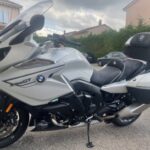
If you want to record a protected video, press the button once. The green LED will then flash briefly. Does this work? If it doesn’t, I suspect the problem is with the remote control.By the way, do you ride a K1600GT? I recognize the sound and what I see from your bike. It’s a fantastic machine; I have a 2018 red version myself.
-
Hi Hans,
Yes, I have a 2021 K16GT with the 718 option and forged rims. It’s truly a pleasure to ride this bike solo or with someone else.
Yes, the LEDs flash before connecting to the Wi-Fi.
The remote control is securely attached and moisture-free.
When I press it once or twice, the LEDs stay fixed.
I think I now need to replace the remote control.
I’ll soon have to replace everything in this system.
Rear camera + front camera.
I’m really starting to get fed up with paying for all this.
Thanks anyway for your help, and have a good weekend.
Michel
-
Hi Michel,
I suspect the problem lies with the remote control.
If the K5 is still under warranty, please contact the seller to get a new remote control under warranty.You can see how I installed everything on my K1600GT under my profile. Some things have changed since then. The front camera is now mounted in front of the oil cooler so that the front fender no longer hits the camera when I ride over a bump.
-
Hello Hans,
I installed my front camera like you.
I think I’ll renegotiate this remote again because it’s out of warranty since 2023.
Thanks for your help.
Best WE
-
Hi Michel,
If you’re technically savvy, I’d open up the remote and see if you can fix it yourself. It’s already out of warranty, so there’s not much that can go wrong.

Log in to reply.