

Hans
Forum Replies Created
-

Hi Ben,
With DashcamViewer, you can export GPS data as a separate GPX file.
In the app, you can select multiple files to download at once. Check the boxes in the top right corner of the video thumbnails to download multiple or all video files.

-
Hi Ben,
Thanks for sharing your experience.
Perhaps you could add photos of the rest of the installation for other Triumph Speed riders.Regarding your comments:
Image stabilization also depends on where you mount the cameras on the bike. Also use the rubber rings to dampen vibrations and ensure the cameracable isn’t too tight.
The housing of the DVR and the cameras do indeed get warm. This is normal as long as they don’t get hot. The DVR housing also functions as a heat sink, so airflow over it would be ideal.
The app takes some getting used to, but I find it more convenient than the web server. Finally, you can configure more settings with the app and download multiple video files simultaneously.
Parking mode can only be turned on or off. The sensitivity of the G-sensor only affects accident videos. You could therefore reduce the sensitivity of the G-sensor. To keep the K7 running continuously, you could connect the yellow wire to a constant power supply using a switch so you can choose whether it should have a switched or continuous power supply..
The videorecordings does have a track log. You can see this, for example, by downloading a video to your app. Then, connect your phone to the internet and play the video in the app. You should see a map view below the video, showing the track associated with the recording.
You can also view this clearly with DashcamViewer https://dashcamviewer.com/
The free version already offers plenty of features, so give it a try.
dashcamviewer.com
Dashcam Viewer | Unleash Your Dashcam’s Full Potential
Dashcam Viewer is powerful, state-of-the-art software with unique and functional features that will unleash your dashcam’s full potential.
-
Hi Jim,
One of the differences is that if an MP4 recording isn’t closed properly but is interrupted by, for example, a power outage or an accident, it might no longer be playable. A TS recording can still be played. And in the case of an accident, the last moments of a video recording can be crucial.
The quality of both file types is the same. The file sizes won’t differ much either. Incidentally, MP4 is a more widely accepted file format and is therefore supported by more devices as standard.You can adjust the 10-minute loop under ‘Recorder Settings’, under the ‘Loop Recording’ option.
-
Hi Ruut,
Maybe these links are useful to you https://www.youtube.com/watch?v=ZcvIWHYzhCs
You can find everything you need on YouTube. You can also search for installation instructions for the K2/K3. This installation is almost the same as the K7, except for the separate microphone and remote control.
Or if you have any questions, visit your BMW dealer, they will certainly be able to help you.
Good luck.
-
You can also upload some video files here in the forum.
-
Hi Andrew,
Did you format the SD card on a computer or in the K7 using the app? An SD card that wasn’t formatted via the app can sometimes cause problems. Can you read the SD card on another computer? This is to see if the problem is with the recordings/SD card or with the computer.
Does the SD card have a writing speed higher than U1?
Are the recordings visible in the app?
By the way, I think 53MB for a recording is small. What resolution and bitrate did you set the K7 to? These might be set to a value that is difficult/impossible to play.
When I look at my K6 recordings, they are approximately 100MB for one minute for the front camera and 80MB for one minute for the rear camera. This at a resolution of 2560*1440 P30 (front) and 1920*1080 P30 (rear) with the highest bitrate. -
Hi William,
Turning off the accelerometer doesn’t affect the sensitivity of the G-sensor. It simply disables the display of the values.
In my experience, the cameras can be sensitive to the direction from which vibrations/shocks are detected. Therefore, you could consider mounting the DVR in a different position.
The center of the bike (e.g., under the seat) is where you’ll experience the least vibration from riding. You could also wrap the DVR in some foam to absorb shocks. Note that the DVR can dissipate heat. The DVR housing acts as a heat sink for the electronics. -
Hans
Administrator2025-11-23 at 19:02 in reply to: K7 randomly stops recording and restarts recording during ridesHi Davide,
The meaning of the green LED depends on the blinking frequency. If it blinks 5 times in one second, there’s most likely something wrong with the SD card. If the green LED blinks less frequently, it’s not a problem. Could the power supply be (briefly) interrupted while driving?
To rule out a camera as the source of the problem, you can disconnect one camera. If everything works fine, reconnect this camera and disconnect the other camera.
What time did you set the Wi-Fi Active Duration to? The problem isn’t synchronized with this set time?
Perhaps unnecessary, but have you checked all connectors and wiring? Everything is secure and properly connected? Is the power supply voltage also good? Are you not using a Thunderbox, HexezCan, or something similar? -
Hi Pierre,
1. As far as I know, there are no different versions of the H5.
2. Correct. If you don’t turn off the H5 correctly, the last video recording may become corrupted. The SD card can also become corrupted, which can cause malfunctions with your H5. I advise you to turn off the H5 using the button on the top and only disconnect the power once the H5 is completely turned off. Also see point 11 under “Important” in the manual.
3. I don’t have any information about this.
4. Accident detection is not available on the H5. It’s not possible to filter whether the camera on the helmet moves due to an accident or the helmet wearer’s head movement.
-
Hans
Administrator2025-11-25 at 22:50 in reply to: K7 randomly stops recording and restarts recording during ridesHi Davide,
I can’t say how the video distribution works to the app. So, whether a faulty camera also blocks the other camera from accessing the app, I have no idea.
If you disconnect the “faulty” camera, will you also not get a live feed from the other camera in the app? I don’t have a K7 myself, and I’m currently on a business trip, so I can’t test with my own cameras whether I get a live feed in the app with only one camera active.
However, I can say with certainty that the K7 has a reproducible problem and should be repaired/replaced under warranty. -
Hans
Administrator2025-11-25 at 02:18 in reply to: K7 randomly stops recording and restarts recording during ridesHi Davide,
If I’m reading this correctly, the problem only occurs when you have the front camera connected. If this is definitely the cause of the problem, I would have the front camera replaced under warranty. Contact the seller for this. If you ordered the camera directly from Innovv, you can contact them at [email protected] or http://www.innovv.com/pages/contact
Just curious, does the front camera stay cool or does it get very hot? During normal use, the cameras can get a little warm.innovv.com
INNOVV creates innovative motorcycle safety products that enhance your riding safety. Our products are the top choice for premium brand, high-end design, and reliable quality.
-
Hi Pierre,
If it’s a used device, I would thoroughly test it before buying. The only problem I know of with the H5 is that the battery capacity decreases over time. But if you connect it via USB, this isn’t an issue. Also, make sure the H5 has the latest firmware version. And check that the lens isn’t damaged.
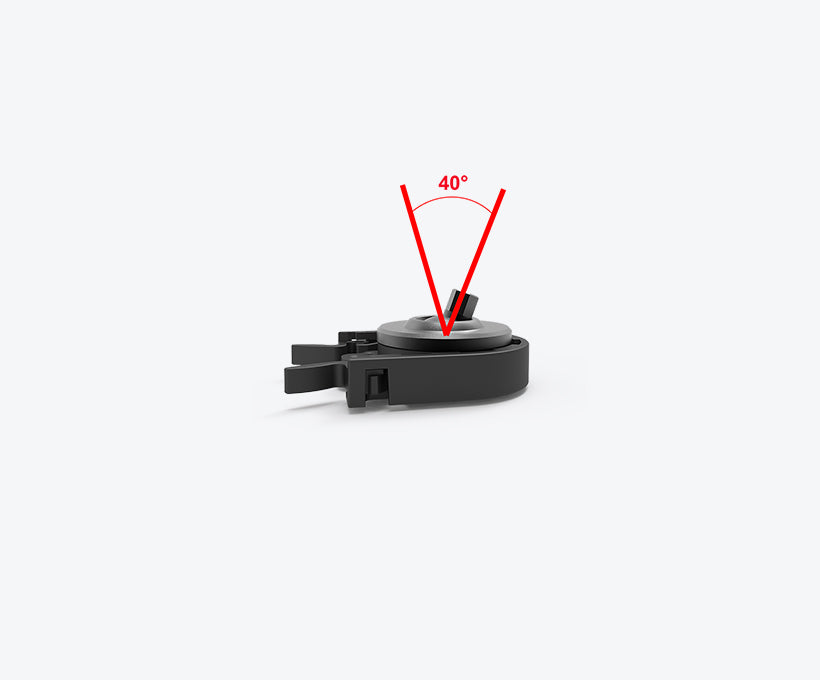
The Innovv Gimbal Mount provides a secure attachment to your helmet. This gimbal mount offers good adjustment options.https://innovv.com/products/innovv-h5-gimbal-mount?_pos=12&_sid=27f610248&_ss=r
Enjoy your H5!
innovv.com
INNOVV creates innovative motorcycle safety products that enhance your riding safety. Our products are the top choice for premium brand, high-end design, and reliable quality.
-
Hans
Administrator2025-11-21 at 22:25 in reply to: K7 randomly stops recording and restarts recording during ridesHi Davide,
To make testing easier, I would try setting the G-sensor to a low setting or turning it off. This should put all the recordings in one folder.
Then see if you get any missing recordings. -
Hans
Administrator2025-11-20 at 23:47 in reply to: K7 randomly stops recording and restarts recording during ridesHi Davide,
You can reduce the sensitivity of the G-sensor. This will result in fewer/no recordings being saved as ‘protected’. Aren’t the missing recordings in the subfolders mentioned? I’m also guessing you also have the Loop Recording Duration set to 1 minute.The K5 and K7 manuals are indeed slightly different.
In the K7 manual, “protect video” is listed twice in the LED indicators, which doesn’t make it any clearer. But when I look at my K3 and K5, they flash twice within one second if it’s a protected video.
Just to be sure, did you format the SD card using the Innovv? If you formatted the card using a computer, the K7 might have some difficulty with the SD card and might not respond properly.
-
Hans
Administrator2025-11-20 at 00:27 in reply to: K7 randomly stops recording and restarts recording during ridesHi Davide,
A slowly flashing green LED can indicate that a protected video is being recorded. This can happen, for example, if the G-sensor is set too sensitive and is therefore triggered by shocks or vibrations while driving.
Recordings can then be found in the ‘protected’ video folder.
See also the manual for an explanation of the LEDs on the remote control.