

Frostie
Forum Replies Created
-
Replacing the front cam of the K5 also means replacing the DVR, as both are combined in one case. Or in other words….you would buy a new K5. So “repairing” the K5 may be worth trying if you plan to buy a new one anyway.
But before that I would check if it is moisture. You could put the DVR in an oven and let it run at 50-60°C for a while. This could remove the moisture in the lens.
-
Are you sure it is dust and not moisture? I can’t see how dust could enter the lens by an open sd card slot.
Removing the lens will not be an easy job, but if you want to try, you could flip back the top board by disconnecting the flat ribbon cable. For this you need to remove the red coating and push the holders to the side. With the four screws removed you can then flip back the board.
I myself have not gone farther than that. But to remove the lens, you would now need to remove the flat ribbon cable of the lens. Maybe it is possible to flip the lower board after unscrewing it. If not, you would need to disconnect the secured connector in the back first.
The boards need to be removed to reach the screws of the lens and to get enough space to pull the lens out. But I don’t know whether it is glued in or sealed in any way.
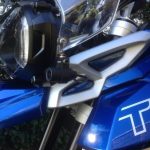
Oh…ignore the three (brown, orange, red) cables at the left in the picture. They are from a modification I made and originally not there.
Greets,
Marc

-
The status of the LED is quite simple.
When the Camera is off:
Solid blue LED => Battery voltage is > 12.4V. Parking Mode is available
Slid red LED => Battery voltage is < 12.4V. Parking Mode unavailable to prevent battery drain.
With ignition on (12V at the yellow cable)
Blinking blue LED indicates that the power module started the camera.
To my knowledge there is no status for a voltage < 12.4V while the camera is running, as in this state the engine should be running and the voltage should always be around 14.4V due to the running alternator. If you see a red LED on the power module while the engine is running, then there is something wrong on your bike.
So in fact it can cause unexpected behaviour if the voltage drops below 12V while the camera is running.
I experienced this myself a month ago. My bike (R1250GS) was in technical service and got its mandatory 2-year safety check. The whole time they kept the ignition on, but the motor off. So the K3 was running all the time and the battery voltages surely droppped notably. After that day, the K3 showed some strange behaviour. Instead of recording 10 min videos, as configured, the videos randomly stopped earlier (8:32, 7:45, etc.) with a 20 sec gap betweent the videos. So obviously the K3 sometimes restarted while riding. At some point it resetet itself to 1 min videos.
So I had to re-flash the firmware to bring everything back to normal operations.
-
Hi Gary,
no, there is no way to automatically upload videos to your phone or anywhere else.
-
Hi,
Yes, the yellow wire is required. It tells the K5 when the ignition is on and when it is off. That is why the yellow wire must be connected to a circuit that only supplies 12V when the ignition is on. Otherwise, the K5 wouldn’t know when to turn on.
Regarding the app. It does not need to connect to the internet, but to the K5. When the K5 is running, you will see a wifi named something like “Innovv_K5”. Connect to it using the password 12345678. When connected, you can open the Innovv app to configure the K5.
-
I can remember that I had a similar issue on an early version of the K5. After enabling the parking mode, the K5 stayed in that mode, even with ignition on. As a result, the K5 started, recorded a short 20 sec video and went back to sleep. Just to repeat this again after a minute or so.
Do you have the parking mode enabled? If yes, please check the behaviour after switching it off.
-
Hi Christian,
there are two reasons for the delay. The first one is the one Hans already mentioned. The K6 needs some time to boot up. Should be around 10 sec or so.
When used with the K6 power supply, then there is a fixed delay within the power supply itself. If I remeber correctly, this delay is around 15 sec. Some motorbikes cut off power to lights/accessories when the starter button is pressed to avoid overloading the battery. To prevent this from happening right at the moment the K6 boots up, there is this fixed delay.
-
I checked the 2k video and for me the reason is quite obvious. The bit rate of the K7 is too low to record all details. For this reason, some areas become blurred. This is also known as compression artifacts.
Just check the first second of the video. I’ve zoomed in a little bit to make the effect more visible.
At first the grasses at the right side and the tree on the left are clearly and sharply depicted.
Then, only some frames later, when the tree on the right side with all the branches and needles gets closer, the compression algorithm becomes overloaded and has to omit details. As a result, the grasses on the right and the tree on the left gets blurred. Even the sign is hardly to read.
So my conclusion is: This is not a problem with the SD card or its write speed, but with the bitrate. The bitrate of the K7 is simply too low to record all the details.
If someone can remember. The K2 had the same problem till I modified the firmware to raise the bitrate. Unfortunately this is not possible at the K7 due to hardware limitations.
-
Frostie
Administrator2026-02-06 at 15:19 in reply to: Systematic end-of-file recorded video missing / dropping 8–10s of footageHi Ben,
Please turn off the automatic Wi-Fi shutdown and check whether this changes the behavior.
The moment the Wi-Fi switches off, recording stops for a few seconds on my K3. It is very likely that the same thing happens on the K7.Regards,
Marc
-
Hi Dan
Normally, the HexCan is the ideal way to connect the K6 (or any dashcam). But since you are powering the HexCan via the Thunderbox, you are depriving it of its capabilities.
Each port on the HexCan has three cables. If you configure a port as an “accessory,” the third cable acts as ignition switch.
So my suggestion are as follows:
- Remove the Thunderbox.
- Connect the Hexcan directly to the battery, not via the Thunderbox. As the Hexcan is connected to the Canbus, it knows when Ignition is on and does not draw power then.
- Connect the K6 to one port of the Hexcan, using all three cables. The yellow cable of the K6 goes to the striped one on the Hexcan port.
- Configure that port as “Accessory” with a delay of 30 secs.
- That’s it.
Now, when you turn on ignition, the Hexcan delivers power to the positiv and the striped cable, thus starting the K6. When you turn ignition off, the Hexcan cuts power to only the striped one, which is interpreted by the K6 as “Ignition is off”, thus making the K6 to shut down. This shutdown takes around 15-20 secs. After 30 secs (the configured delay for the Hexcan port), the Hexcan cuts off power to the positive wire. That will prevent the K6 could drain the battery if anything goes wrong.
I am using this method to power my dashcam(s) on my R1250GS since more than two years without any problems.
But please note that any method that does not connect the K6 directly to the battery will prevent you from using the parking mode. If you want to use the parking mode, you will have to connect the K6 directly to the battery and the yellow cable to the positive of the Hexcan Port. In any way, the Thunderbox is obsolete when using a HexCan.
-
I tried gopro with 60 and 30 fps. Not a big difference at 4k.
Yes. It depends on whether the GoPro really takes 60 pictures per second or only 30 and then interpolates the output to 60 FPS. FPS only provides information about the output, not the input.
In terms of overheating, is the recorder unit a front camera, right? It always has a wing flow, to except the traffic.
Yes, the encoder is in the front cam. Air flow is always good, but Innovv has to design the camera in a way that it will work in any condition. So even when you are parking in death valley. That’s also a reason why they cannot (or don’t want to) max out the computing power for the highest possible bitrate. They surely don’t want complains from customers about cameras overheating while riding in Australia, Africa or any other hot country.
I believe the higher bit rate for Innovv will help to upscale the image
Not really. The bitrate only defines how good the quality (in terms of details) of the resulting video will be. If you have a video that would need 15MBit to keep all details, a higher bitrate would not really increase the quality. But of course you need to avoid compression artifacts, as upscalling them would look awfull 🙂
-
Depending on the speed, it will always happen that the license plate of an oncoming car is not legible. Remember that the camera takes 30 frames per second. The more an object moves within this 1/30 second, the blurrier the image becomes. For sharper images in motion, you need a faster shutter speed. A camera with 60 FPS will take sharper images in motion, but only if it has real 60 FPS, not interpolated.
All this has nothing to do with the bitrate. Easy spoken, the bitrate defines the target size of the video (frame). It tells the encoder “Take this raw picture and reduce its size to x, keeping as much details as possible”. The higher the bitrate, the more details the encoder can keep in the picture and the bigger the picture will be. If there are too much details in the picture (like a lot of leafs, trees, etc.), the encoder has do drop some of these details. Means part of the picture gets blurry. These are called compression artifacts. To get rid of them, you would need to increase the bitrate (or reduce the details/resolution).
Which bitrate is sufficient depends on the scene, the resolution and the used compression codec. When choosing the bit rate, you always have to compromise between the size of the video files, the quality of the videos, and the computing power required. I think Innovv has choosen 13 MBit, as this is the best compromise between video quality and needed computing power. Because more computing power means more heat that needs to be dissipated from the small housing.
Just as an example, this is from a video made by my K3 with 1080p and 20Mbit bitrate. At that moment I am doing 70 km/h (43 mp/h) while the car is, I think, doing the same. Though boths cams are not directly compareable (K3 uses H.264, yours uses H.265), it shows that even a good bitrate does not quarantee that the licence plates are always legible.
-
Hi Roman
Sorry, but I don’t quite understand your complaint. The only thing I would criticize about the video is the occasional jerkiness. The quality is okay. The video is H.265 with a bit rate of 13 Mbit. That’s a bit low for this resolution, but it’s sufficient for the current scene. With more details (e.g., more trees, bushes, etc.), compression artifacts could occur.
The license plates are legible within the limits of a wide-angle camera and the resolution. If you want to read the license plates at a greater distance, you need a higher resolution than 2k.
-
Hello,
try switching your phone to Airplane Mode before connecting to the N2.
Regards,
Marc
-
Frostie
Administrator2026-04-02 at 14:59 in reply to: K3 keeps restarting (I think) and won’t connect to wifiHi Doron,
a continuous reboot may also occur if the DVR cannot detect the front camera. So I would suggest to check the connection for the front cam. You could also disconnect the front cam and connect the rear cam to the front connector to check whether the fron cam is defective.