


Hans
Forum Replies Created
-

Hi Andriy,
You can order spare parts on the Innovv website.
https://innovv.com/collections/k3-dashcam-accessories/products/innovv-k3-k5-camera-set-k3-2-0-meter-6-5-feet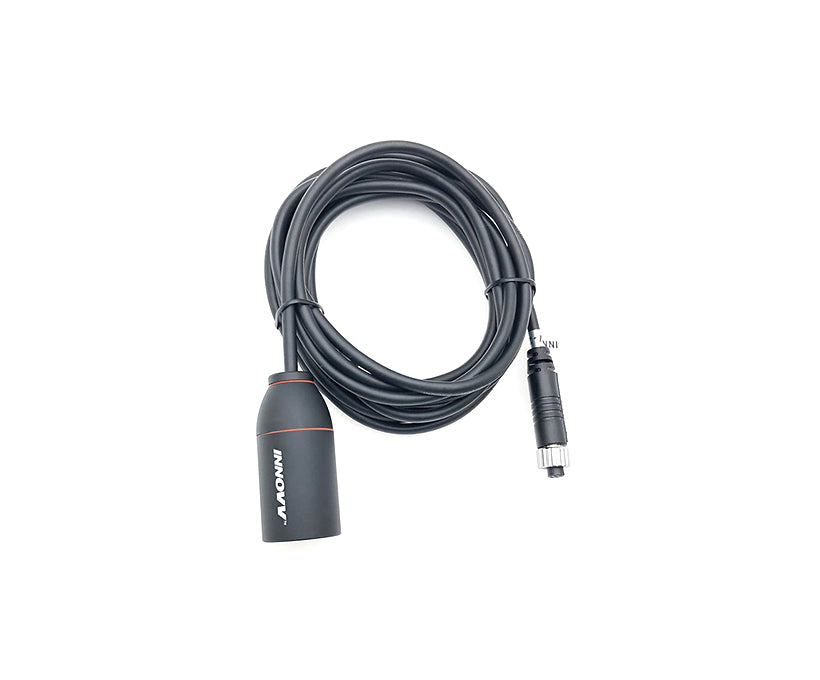
innovv.com
INNOVV K3 Camera Set - K3 2.0 meter/6.5 feet
INNOVV creates innovative motorcycle safety products that enhance your riding safety. Our products are the top choice for premium brand, high-end design, and reliable quality.
-
Hi Lawrence,
If you press the button twice in quick succession, do you see the green camera symbol flash briefly?
If not, you may have pressed the button too quickly or too slowly.
It’s also possible that when you press the button with motorcycle gloves on, you can’t feel if you’re pressing it correctly.
If you press the button once (save video option), do you see the green camera LED flash?
If the LED doesn’t flash, the button on the remote control may be defective. Check that the remote control connector is securely connected. Also, check for moisture. -
Hi Travis,
What if you completely delete the app and reinstall it?
Android: Settings – Apps – Viidure, select Force Stop at the bottom, select Clear Data under Storage, go back a step, and then select Delete.
Then reinstall the app.Restart Android and see if it works then.
-
Hans
Administrator2025-08-16 at 00:50 in reply to: K5 randomly and intermittently not recording videos.Hi Ian,
The fact that the blue LED is flashing indicates that the supply voltage is insufficient, or at least not enough to activate parking mode. To be sure, you can measure this with a multimeter. Then measure at the point where you connected the power supply, even though your motor measures 13.7 V.
Since the remote control isn’t working, you can check the connection. Is it still properly connected, is there no moisture in the connector, are the rubber rings still present in the connectors, and is the cable still intact and not too tight?
Do recordings still occur when you disconnect the remote control?
Have you formatted the SD card using the Innovv app?
Have you also managed to reload the latest firmware?
So it seems to be a combination of two problems: the power supply and the remote control.
-
Hi Stephen,
Switching the red and black wires is a recipe for trouble.
The current the K7 draws when it’s switched off (switched via the yellow wire) is very minimal.
Unless you have a very weak battery in your bike, you don’t need to worry about the K7 draining your battery. -
Hi Andriy,
You’ve done the right thing to determine that your rear camera is broken.
The fact that you don’t have Wi-Fi on the broken camera is correct. A working front camera must be connected for Wi-Fi to be active.
Conclusion: the rear camera is broken. -
Hi Travis,
You can use the Viidure Dashcam Viewer app.
With this app, you can also adjust some N1Pro system settings.
-
Hi Michel,
If you’re technically savvy, I’d open up the remote and see if you can fix it yourself. It’s already out of warranty, so there’s not much that can go wrong. -
Hi Matt,
I completely understand your feelings and ideas about repairs. I also regularly encounter the inability to repair equipment.
Unfortunately, Innovv is a Chinese commercial company, and I don’t expect them to be impressed by The Repair Association anytime soon.It will also be difficult for Innovv to trace whether a repair claimed under warranty was caused by improper repair work. On the other hand, many suppliers want to maintain a high level of quality and avoid the risk of damage (material and immaterial) due to “uncontrolled” repairs. I see this particularly in the medical technology sector where I work.
-
Hi Michel,
I suspect the problem lies with the remote control.
If the K5 is still under warranty, please contact the seller to get a new remote control under warranty.You can see how I installed everything on my K1600GT under my profile. Some things have changed since then. The front camera is now mounted in front of the oil cooler so that the front fender no longer hits the camera when I ride over a bump.
-
Hi Michel,
Are all the LEDs lit continuously from the moment you turn on the K5? Or do they flash first before getting a GPS fix and connecting to Wi-Fi?
Is there any moisture in the remote control connector and it’s still securely attached? Could you try disconnecting it and reconnecting it?
If you want to record a protected video, press the button once. The green LED will then flash briefly. Does this work? If it doesn’t, I suspect the problem is with the remote control.By the way, do you ride a K1600GT? I recognize the sound and what I see from your bike. It’s a fantastic machine; I have a 2018 red version myself.
-
Hi Chris,
If you click the gear icon at the bottom while watching the live recordings, you’ll see settings where you can adjust the brightness and colors of the image. What are these settings?
And if you’re only watching one channel, not the F/R one as you’ve selected now, does that make a difference?
While watching the live video, do you have a good Wi-Fi connection? If not, try setting it to 2.4GHz. -
Hi Michel,
I’ve noticed that the K5 is sensitive to the time between button clicks. Could it also be that wearing motorcycle gloves prevents you from pressing the button far enough?The protected videos are saved in the DCIM-Movie-Protected folder.
To stop saving specific videos, you have to wait until the preset runtime expires. After that, the recordings are saved as ‘normal’ videos again.
-
Hi Andriy,
If the K3 is still under warranty, I would contact the seller. You might be able to claim a new camera under warranty. -
Hi Michel,
Parking mode videos can only be deleted by formatting the SD card. Please note that you will lose all the videos in all folders.